

Getting started
Updated 2026-09-16
Help me create my first Ghosty Studio agent following https://www.ghosty.studio/en/docs/getting-started.md and tell me what to try first.
When you finish you will have an agent with its own machine —disk, terminal, memory— that has already read a document of yours and answered with exact dates and amounts. Every step shows the real screen you will see.
Before you start
An account at (Google, Apple or email). Nothing else.
1. Create the agent
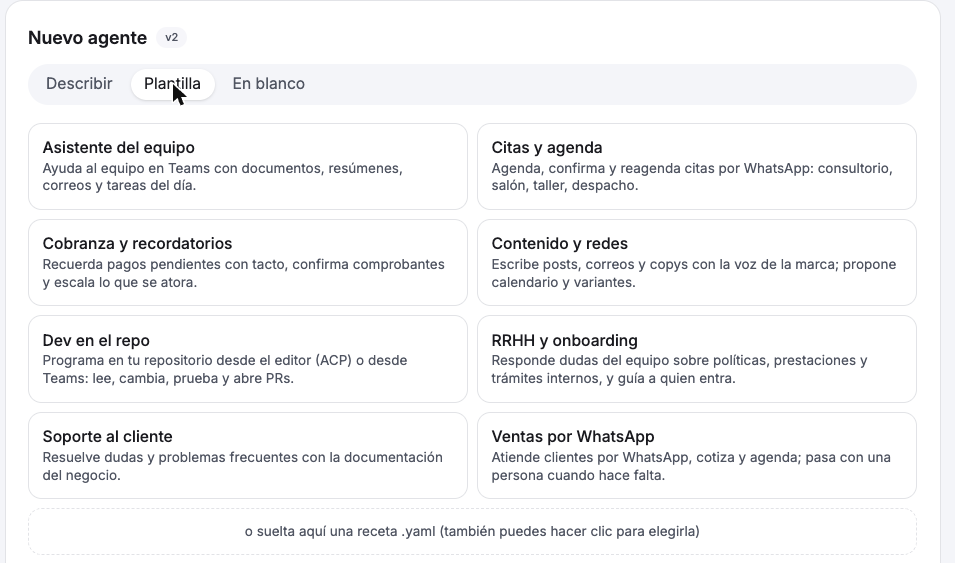
In Agents press + Nuevo agente (New agent). Three doors:
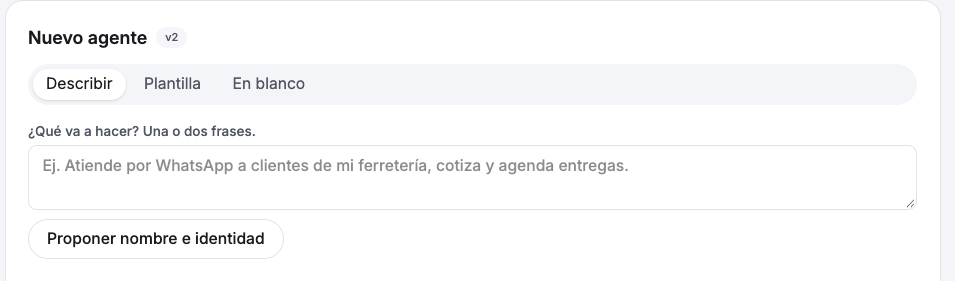
- Describir (describe): write in one or two sentences what it will do ("answer my hardware store's customers on WhatsApp, quote and schedule deliveries") and Studio proposes a name and identity.
- Plantilla (template): pick one of the eight (support, WhatsApp sales, appointments, collections, content, HR, team assistant, dev in the repo) or drop your own
.yamlrecipe. - En blanco (blank): name and engine, nothing else.
All three fill the same form: name, what it is for, identity (editable), workspace, engine and model. For this guide pick the engine Ghosty · Lite: it is the one with chat inside Studio. (Claude and DeepSeek are used from Teams and WhatsApp; they have no "Hablar" button in the list.) Press Crear.
Studio provisions its machine in a few seconds. Once the agent shows up in the list with Hablar (Talk), it is ready.

2. Hand it a document
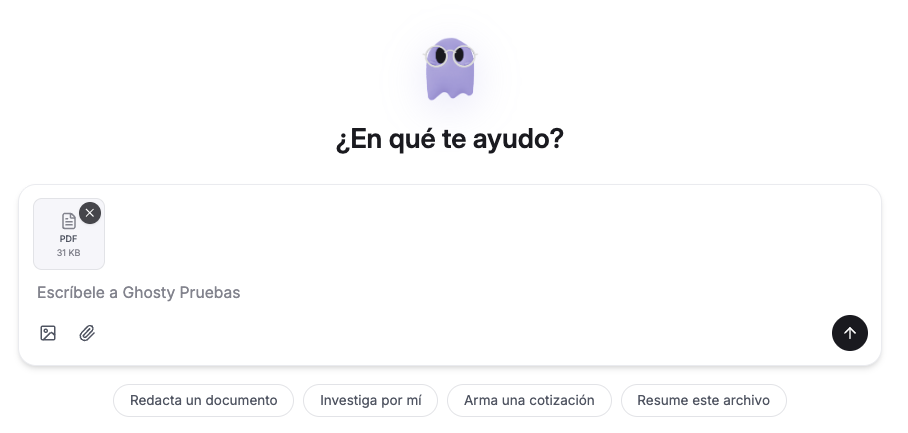
Press Hablar. In the chat, attach a PDF with the clip (or drag it in) and type:
3. Watch what it does
The first time takes a few seconds: it says "despertando la caja" (waking the machine) while it boots. Then you see every tool it uses, in order. With this message it is two terminal commands: download the file and read it with pdf-reader.
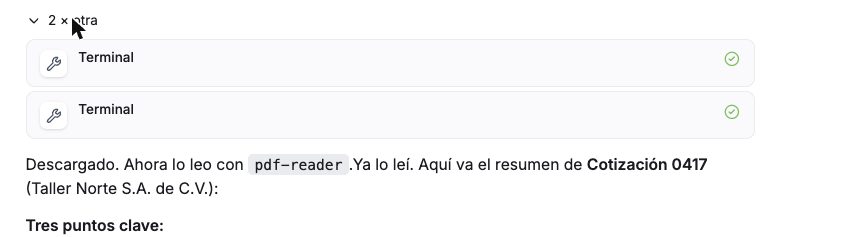
And the answer: not a vague summary, but the dates and amounts that are in the document.
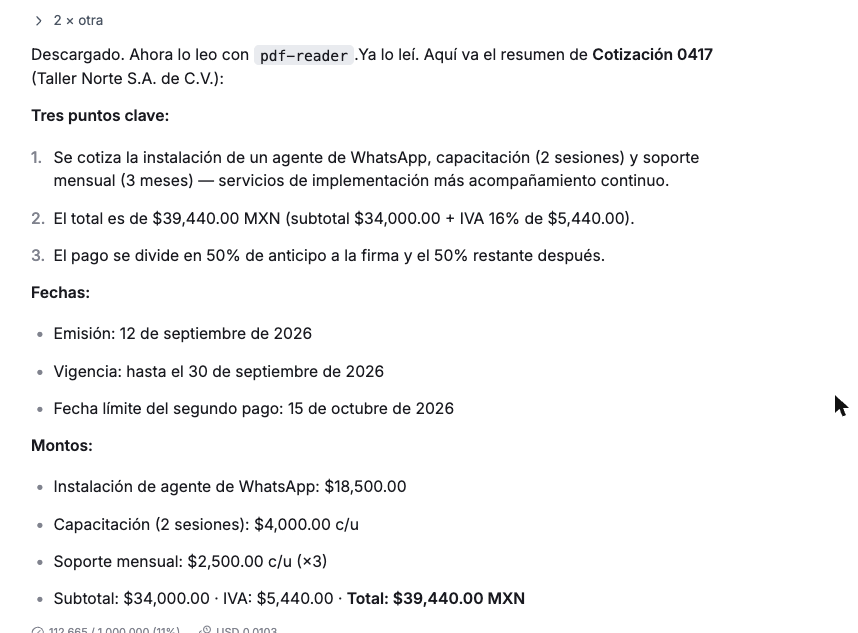
You can close the tab mid-turn: the work runs on its machine and the answer is there when you come back.
4. Choose where else it works
In Agents → your agent is its card: model, identity and channels.
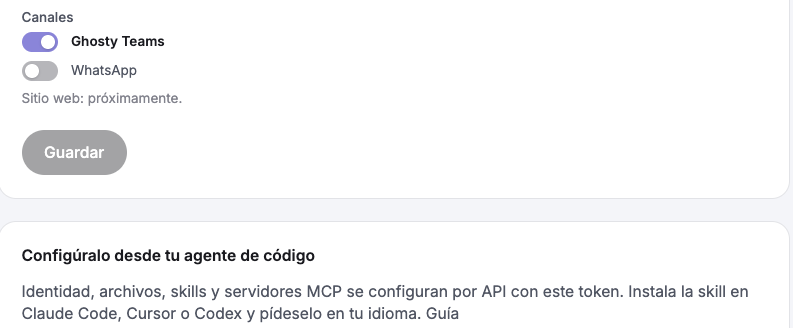
- Ghosty Teams — flip the switch and give it an
@handlein : it reads the channels where it is mentioned and works with documents and forms. - Your coding agent — under Configura a Ghosty desde tu agente de código → Generar token you get the skill command and the token; from there Claude Code or Cursor set its identity, files, skills and MCPs: .
- Your editor — the same block includes the Zed or VS Code configuration; the same agent, same machine, over .
- Your software — the with OAuth2.
- WhatsApp — turn on the channel and tick the number it serves; the number is connected once from Sales. Guide: .
What just happened
- An isolated machine was created just for your agent.
- The PDF did not travel inside the message: it was uploaded to your library and the agent downloaded it to its disk through a signed URL that expires.
- The agent chose the tools (terminal,
pdf-reader) and ran them there; you saw every step.
Next steps
- : turns, permissions, connectors, skills, engines.
- : put it to work with your team.
- Ask for something bigger: "Make a one-page document with this summary" returns a
.docx. - : what isolates your agent and where your keys live.